Introducing the Yearwise Planner 2027 The Planner I Couldn't Find, So I Made It
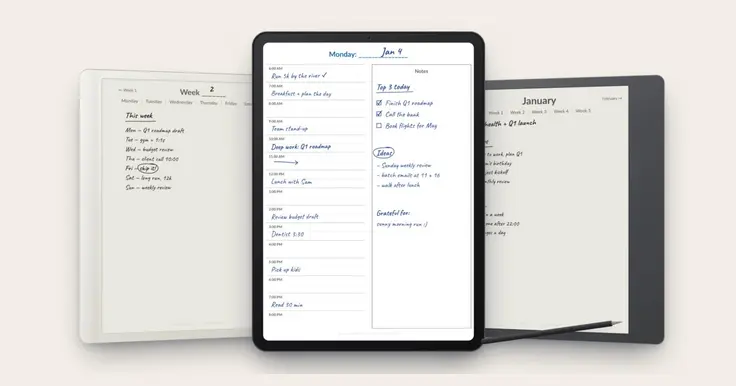
Over the last couple of years my way of planning has slowly taken shape. It started with a simple daily to-do list and grew, one habit at a time, into something more complete: goals for the year, a focus for each month, a plan for each week and a structured day. Some habits stuck, others didn’t, and what’s left is a routine that genuinely helps me get the important things done.
The problem was finding a planner that supports it.
Looking for the right planner
I tried quite a few digital planners on my tablet. Some were beautiful but missing pieces I rely on, like goals for the different areas of my life or a proper review at the end of the year. Others had everything, but were so packed with pages, tabs and stickers that I spent more time navigating than planning.
What I wanted was simple to describe:
- Great navigation. From any page, I should get to today, this week or this month in a tap or two.
- All the elements I actually use, from yearly goals down to an hourly view of the day, and nothing I don’t.
- Room to write. A planner on an e-ink tablet should feel like paper, not like a form to fill in.
I couldn’t find one that did all three, so I made my own.
A culmination of my daily practice
The Yearwise Planner is my planning routine turned into a single PDF. Each part of it is there because I use it:
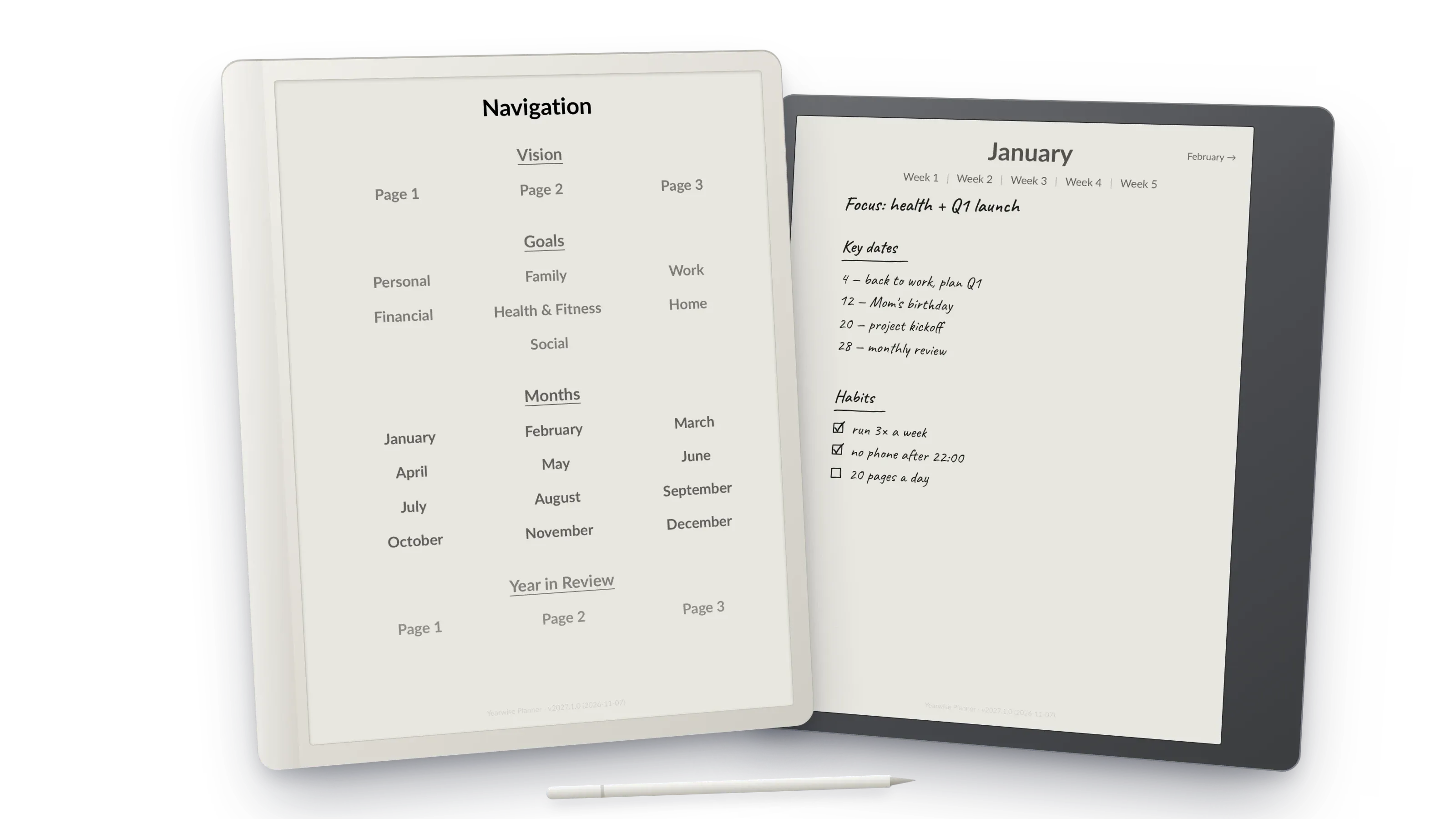
- Vision and goals. At the start of the year I write down where I want to go, with a page for each of 7 life areas: personal, family, work, financial, health, home and social.
- Months. Each month page is where I pick what matters most in the coming weeks.
- Weeks. The week page turns the month into a concrete plan.
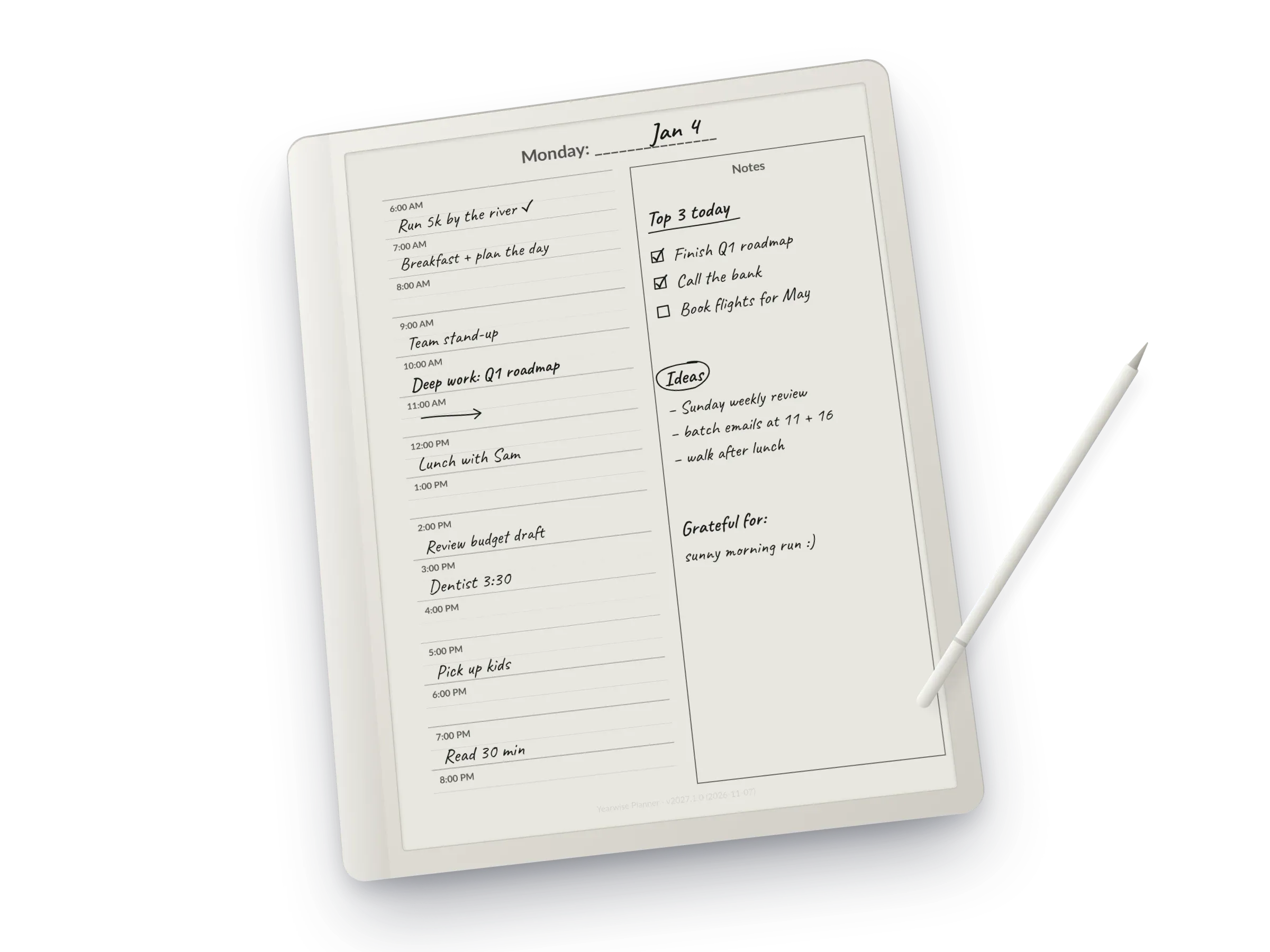
- Days. Every day has time blocks from 6 AM to 8 PM next to a large area for notes, priorities and ideas.
- Year in review. At the end of the year I look back at what worked and what didn’t, which is where next year’s goals come from.
Everything is linked. Tap a month to see its weeks, tap a week to see its days, and tap a page title to go one level up. After a day or two you stop thinking about it.
Made for e-ink, and for iPad
I mostly plan on an e-ink tablet, and most of them, such as reMarkable, Supernote, Boox and Kindle Scribe, have a 3:4 screen. A standard A4 page doesn’t quite fit, so you end up with empty bars and smaller text. That’s why the planner comes in two editions, and you get both:
- 3:4 e-ink, which fills the screen edge to edge.
- A4, for iPad and Android tablets with apps like GoodNotes or Notability, and for printing.
Built with AI
I had the idea for this planner for a long time, but building and polishing a 446-page document is a lot of work. This year I built it with the help of AI, which made it possible to go from my own rough version to a finished product, including this edition for 2027, the website and the shop.
Get it
The full planner costs €25, VAT included. It’s a one-time purchase with no subscription, and any improvements to the 2027 edition are free.
If you want to try it first, there is a free January sample with the complete month, the goal pages and the full navigation, in both editions.
Get the Yearwise Planner 2027 or the free sample (opens in a new tab)
If you try it, I would love to hear how you plan and what you would change for next year. Leave a comment below or write to hello@yearwiseplanner.com.